Minimalist, Clean & Distraction-FreeNew Tab Browser Extension
A minimalist startpage crafted for Chrome & Edge. Free from ads, bloated feeds, and tracking—featuring instant offline cold starts, fully customizable shortcuts, and elegant wallpapers.
Local-First Architecture · Zero User Tracking · No History Logging
Ask Google or type a URL


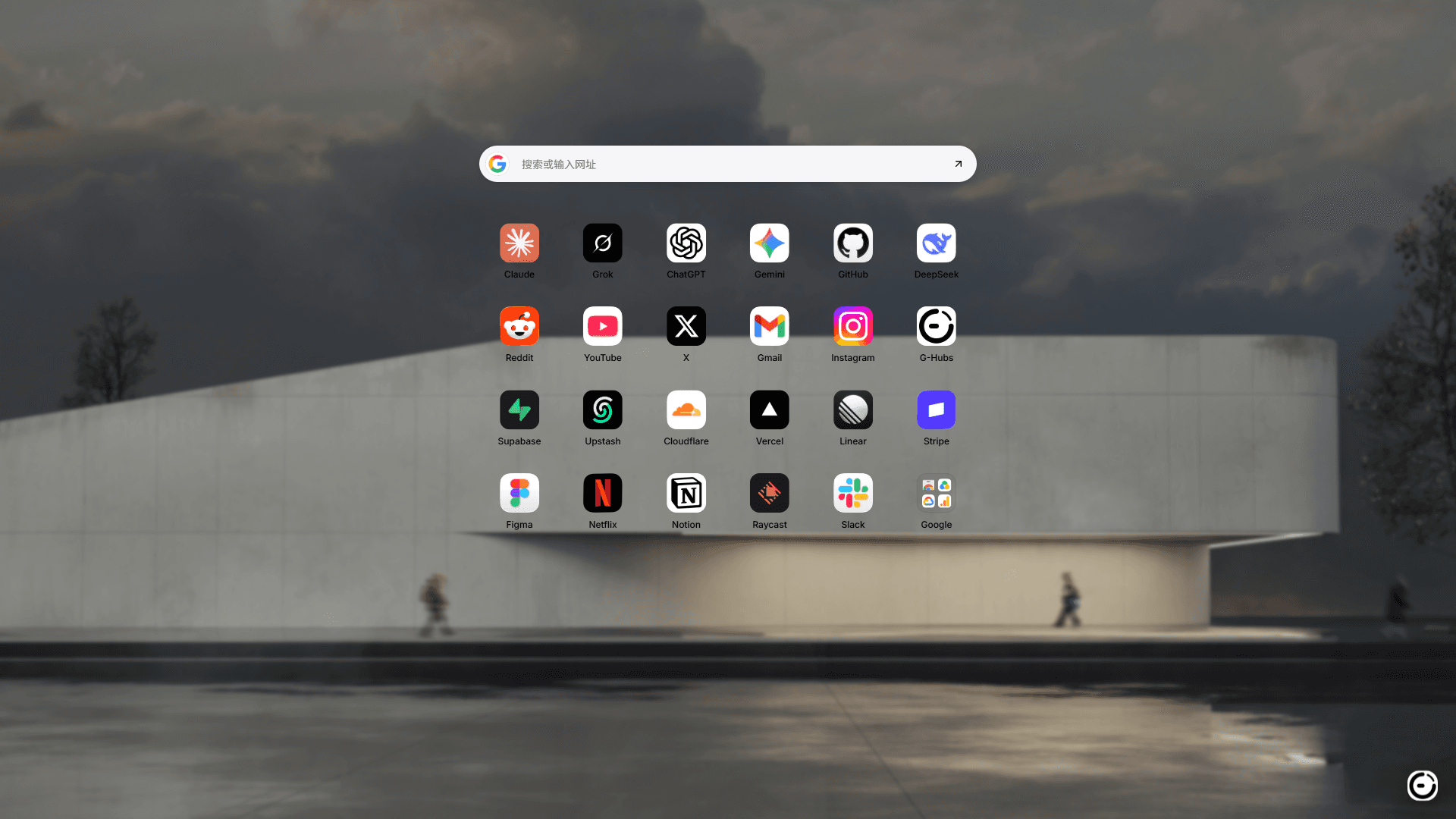
Built for focus and speed, crafted down to every detail
Highlights & Capabilities
Minimalist Custom Shortcuts & Folder Grouping
Move beyond rigid defaults. Customize icon backgrounds, text colors, URL labels, and organize with folders and smooth drag-and-drop reordering. Tailored to match any workflow.
Shortcut Workspace PreviewClick folder to expand ↘
GitHub
Figma
Vercel
+
Add ShortcutFolder Organization
Smooth Drag & Drop
Custom & Uploaded Icons
1-Click Add from G-Hubs
Local-First Instant Launch & Offline Ready
Core workspace data resides locally in IndexedDB, rendering instantly without network roundtrips or blank-screen delays.
Cold Start Latency< 0.05s
IndexedDB Local Persistence
Instant offline render · No blank screens
100% Offline Ready · Zero Tracking
Curated Wallpapers & Multi-Engine Search
Solid colors, curated gradients, or custom wallpaper URLs. Preconfigured with Google, Bing, Baidu, DuckDuckGo, and custom engine templates.
Quick EnginesTab to cycle
Curated Wallpapers
Custom wallpapers & engines supported
Cross-Device Cloud Sync & Zero Tracking
Optionally sign in with your G-Hubs account to sync shortcuts and settings across browser extensions and web homepages in real time.
Browser Extension
Instant local response
Real-time Two-way Sync
Web Startpage / Multi-Device
Optional cloud backup
One-click account link, sync shortcuts across all devicesChrome Sync native sync coming soon
End-to-end privacy · Syncs settings only, never uploads history
3 Steps to an Elevated Startpage
Get started in moments and make G-Hubs your primary browser home
STEP 01
Install Extension
Install and enable the extension from Chrome Web Store or Edge Add-ons.
STEP 02
Personalize Workspace
Open a new tab, add your frequent shortcuts, and customize your theme and search engines.
STEP 03
Optional Cloud Sync
Connect your G-Hubs account in the control drawer to keep all your machines in sync.
Looking for advanced shortcut configurations and documentation?Detailed Docs Coming Soon
Frequently Asked Questions
Everything you need to know about G-Hubs Extension, answered candidly
Completely free, with zero hidden fees and no feature paywalls. We can currently put food on the table, so we have no plans to charge anytime soon. If we ever struggle to make ends meet down the road, we may explore healthy monetization. If you love using it and wish to donate or sponsor us, please let us know via Feedback, and we'll happily open a sponsorship channel for you! ❤️
Start your elevated, minimalist new tab today
Add to your browser in seconds. 100% free, zero ads, instant offline response.